

Build the campaign in one flow.
Objective, target audience, format, asset and review, in five steps. Your creative becomes an animated overlay with its own chat command, and a poll if you want one.
- 1Objective
- 2Target audience
- 3Format
- 4Asset
- 5Review
!gloriousAn overlay with its own chat command.
- Animated overlay in a corner of the stream
- !yourbrand chat command posts your link
- Optional poll in the creator's chat
From objective to review.
01Objective
Name the campaign, pick awareness or traffic and set the dates. You pay per 1,000 views that played.
New campaign- 1Objective
- 2Target audience
- 3Format
- 4Asset
- 5Review
Next stepGlorious V3Name, objective and dates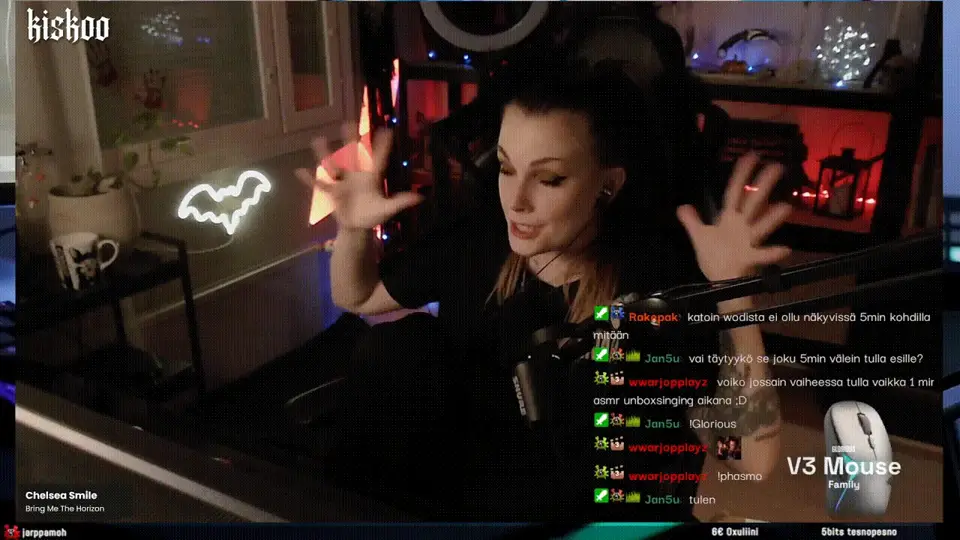
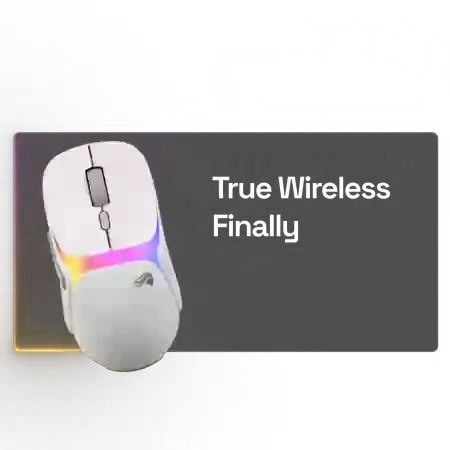 AwarenessVerified views of the overlay, billed only when it playedkaffekopp that mouse looks cleanfragmaster_99 is it wireless?nordicfrag !gloriousbeta ads Meet the new Glorious V3 gloriousgaming.comsjokolade_k wireless finallyTrafficViewers type the chat command and get your linkNovember123456789101112131415161718192021222324252627282930How you payViews that playedBilledViews that did not playNot billedPriced per 1,000 views that played.
02Target audience
Pick markets, platforms, categories and language. We shortlist streamers from Streamer Explorer and you approve every name.
New campaign- 1Objective
- 2Target audience
- 3Format
- 4Asset
- 5Review
Next stepGlorious V3Who should see the adNorwaySwedenFinlandTwitchKickFPS, Fortnite, Just ChattingShortlist 7 of 8 approved MrSavageFortnite · 4.6M
 AnomalyCounter-Strike · 2.8M
 LoeyaFortnite · 1.7M
 KnutJust Chatting · 419K
 EmiliaHultCounter-Strike · 205K
 perraJust Chatting · 185K
 CyrusTWOGTA V · 134K
 detooIRL · 86KYour approvalYou approve every nameWe shortlist from Streamer Explorer. Remove anyone before launch.MrSavageApprovedAnomalyApprovedLoeyaApprovedKnutApproved
03Format
Your creative runs as an animated overlay in a corner of the stream, with its own chat command and an optional poll.
New campaign- 1Objective
- 2Target audience
- 3Format
- 4Asset
- 5Review
Next stepGlorious V3Animated overlay, 1920 × 1080, transparentPreview on streamChat command!gloriousbeta adsMeet the new Glorious V3 gloriousgaming.comPollWireless or wired?WirelessWired04Asset
Upload the overlay and the link it points to. The file is checked against the spec before anything goes live.
New campaign- 1Objective
- 2Target audience
- 3Format
- 4Asset
- 5Review
Next stepGlorious V3Upload the creative1920 × 1080Corner placementWEBMCheckedChecks- Transparent background
- 1920 × 1080 canvas
- Stays in one corner
- Link: gloriousgaming.com
05Review
Every choice on one page. Submit, and the campaign goes to streamer approval and setup verification.
New campaign- 1Objective
- 2Target audience
- 3Format
- 4Asset
- 5Review
Submit campaignGlorious V3Check everything before you submitPreview on stream- Objective
- Awareness
- Dates
- 3 to 30 Nov
- Markets
- Platforms
- Streamers
- +2
- Format
- Overlay, !glorious, poll
MrSavageAnomalyLoeyaKnutEmiliaHultCyrusTWOdetooAfter you submit- Streamer approvalEach streamer accepts the campaign
- Setup verificationEvery stream checked on air
- Live reportViews, clicks and chat in your login
Questions about the campaign builder
Do we need to make the creative?
In a managed campaign we design the animated overlay in your brand. In self-serve, your agency sets up the client's creative in the builder.
What is the chat command?
A command like !yourbrand. When a viewer types it in the creator's chat, the link to your offer is posted back in chat.
Can we add a poll?
Yes. A poll can open in the creator's chat when the ad runs, and the answers come back in the report.
Who can use the builder?
Agencies on self-serve use it themselves. In a managed campaign we build it for you, and you follow it in your own login.
See the builder with your own creative.
In a 30 minute demo we build a campaign with your brand and your market.